What Are Free Elementor Layouts and How Do They Work?
When we first tried building a website, we stared at the empty WordPress page like it was silently laughing at us. We wanted something beautiful, but dragging boxes around without a plan felt risky, like giving ourselves a new haircut at home (we’d rather not!).
That’s when we found free Elementor layouts, and everything changed. Instead of starting from zero, we could choose a ready-made design, drop it into our page, and simply edit the text, colors, and images.
It felt like having a designer on our team saying, “Chill, we’ve got this.” Suddenly, website building became fun, flexible, and totally doable. We could experiment, undo mistakes, and try new ideas without stress. Now creating pages feels less scary and a lot more like play, plus more time for coffee breaks.
What Are Free Elementor Layouts and How Do They Work?
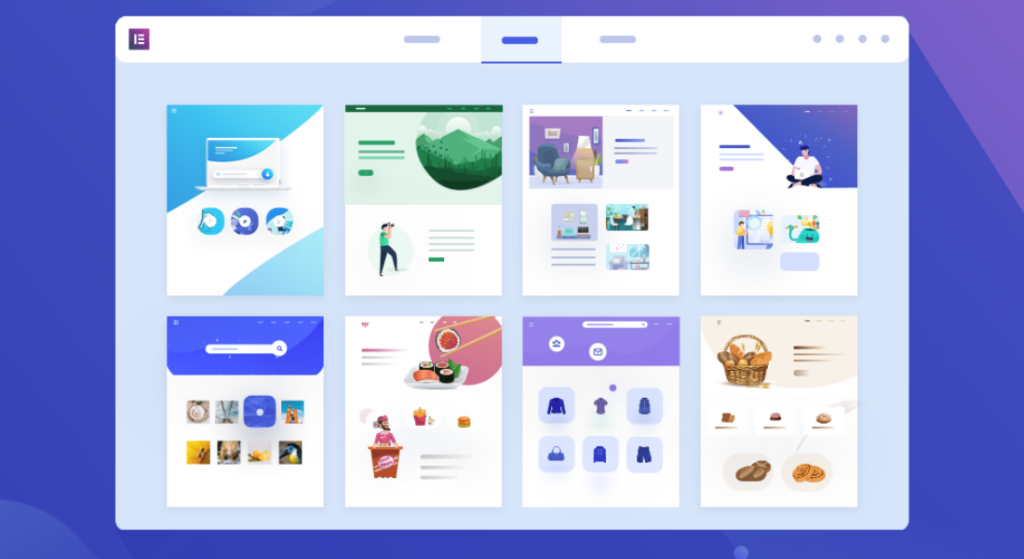
Free Elementor layouts are pre-designed page and section templates you can use inside the Elementor page builder to create WordPress websites quickly without coding. They include ready-made homepages, about pages, hero sections, pricing tables, contact forms, and more. Instead of building every design from scratch, you simply insert these layouts, replace the text and images, and customize colors and fonts to match your brand.
They work through Elementor’s drag-and-drop editor: you open a page, click the template library, choose a layout, and import it. Once added, every element headings, buttons, columns, and images, can be edited visually. Free layouts save time, maintain design consistency, and help beginners achieve professional results. They are also great learning tools, because you can see how sections are structured and styled. Whether you are creating landing pages or full websites, free layouts make WordPress design faster, easier, and more creative while keeping everything fully customizable.
Why Use Free Elementor Layouts?
Using free Elementor layouts gives you several practical advantages:
- Speed: Instead of building from scratch, drop in a polished layout and swap text/images.
- Consistency: Prebuilt structures help you maintain consistent spacing, typography, and design language site-wide.
- Accessibility for non-developers: Business owners, marketers, and designers can create pages without writing CSS or PHP.
- Design variety: Many free layout packs cover niches (portfolio, restaurant, agency), so you get industry-appropriate designs.
- Lower cost: Free options let beginners test workflows before buying premium templates or Elementor Pro.
Elementor’s official docs and community libraries make it straightforward to import and adapt these layouts.
The Anatomy: Types of Elementor templates and layouts
To use templates effectively, it helps to understand the main types:
- Page templates: Full-page designs (e.g., homepages, about pages) you can import as a single unit.
- Block/section templates: Smaller pieces like a pricing block, CTA, or testimonial row that you can insert into any page.
- Template kits / Layout kits: Bundles of page and section templates built to work together so your whole site shares visual language.
- Saved templates: Templates you (or your team) create and save from your site for reuse.
- Theme templates (Pro): Header, footer, single-post, archive templates (Elementor Pro feature) that control theme-level parts.
Free Elementor layouts are most commonly available as page templates, block templates, or kits in the free library; theme-wide template building is usually a Pro feature.
How Elementor Layouts Improve User Experience (UX)?
A website isn’t just about colors and sections; it’s about how a visitor feels while using it. Elementor layouts are designed with user experience principles in mind, such as visual hierarchy, spacing, and intuitive navigation. When you use a pre-built layout, you are benefiting from design decisions created by professionals who already understand how users scan pages, where their eyes move first, and what types of section breaks prevent fatigue.
Good UX design leads to longer browsing sessions, lower bounce rates, and higher conversion rates. Clear headings, structured sections, and visually distinct call-to-action buttons help users know where to click and what to do next. This is especially important for business websites where every click matters. Instead of guessing layout patterns, Elementor layouts guide your visitors naturally from one section to another, creating a smooth browsing experience.
Free Elementor Layouts vs Premium Elementor Layouts: Which One Should You Choose?
When building a website with Elementor, you often have two options: free layouts that get you started quickly, or premium layouts that offer advanced features and flexibility. Understanding the differences between the two can help you make the right choice for your project. Here’s a detailed comparison:
| Feature | Free Elementor Layouts | Premium Elementor Layouts |
| Cost | Completely free to use | Paid, usually part of a theme or subscription |
| Design Variety | Limited number of layouts and sections | Extensive library of pre-designed pages, sections, and templates |
| Customization Options | Basic customization (colors, text, images) | Advanced customization, animations, global widgets, and dynamic content |
| Support | Community-based support, forums, tutorials | Dedicated support from developers, updates, and documentation |
| Features | Basic blocks, headers, footers, and sections | Advanced widgets, popups, WooCommerce-ready pages, premium effects |
| Learning Curve | Ideal for beginners | Ideal for professionals, agencies, or complex websites |
| Usage Restrictions | Mostly limited to one website or manual import | Often comes with multiple site licenses and more flexible usage |
| SEO & Performance | Lightweight, basic SEO-friendly design | Optimized for speed, advanced SEO features, and conversion-focused layouts |
| Integration | Works with Elementor and basic WordPress plugins | Integrates with marketing tools, CRM, WooCommerce, and third-party plugins seamlessly |
Free Elementor layouts are perfect for beginners, simple websites, or testing new ideas without spending a dime. They allow anyone to build visually appealing pages without coding.
Premium Elementor layouts, however, provide greater flexibility, more design options, and dedicated support, making them ideal for businesses, agencies, or ecommerce stores where performance, advanced features, and scalability are critical.
Where to Find Elementor Layouts
Elementor layouts come from libraries, marketplaces, and theme providers. You can explore premium options and theme bundles here:
Premium WordPress themes and bundles
Premium WordPress themes and bundles offer professional-grade design, advanced customization options, and powerful built-in features ideal for businesses, bloggers, agencies, and ecommerce brands. These themes typically include multiple demo layouts, pre-designed inner pages, and compatibility with top builders like Elementor and Gutenberg. You can explore a curated collection of premium WordPress themes and bundles designed for performance, flexibility, and modern business needs. Buying a bundle allows you to get many premium themes at once, often at a discounted price, making it perfect for developers and freelancers handling multiple projects. Premium themes also come with regular updates, security improvements, faster performance, and dedicated customer support, ensuring your website stays modern, responsive, and SEO-optimized for better ranking and conversions.
WordPress theme bundle collections
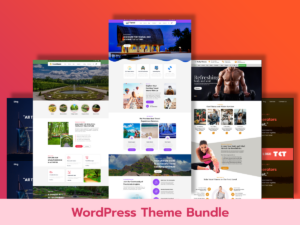
WordPress theme bundle collections are designed for users who need multiple website designs without purchasing individual themes separately. For those looking to maximize value, WordPress Theme Bundles provide access to a complete collection of premium themes in one package. These bundles usually include business themes, blog themes, portfolio layouts, corporate designs, and ecommerce templates under a single license. They are especially beneficial for agencies, designers, and freelancers who build several websites for clients. Instead of paying repeatedly, you get a complete library of professionally designed themes you can reuse. Theme bundles often include lifetime access, unlimited domain usage, premium features, demo import functionality, responsive layouts, and compatibility with popular plugins, helping you launch diverse websites quickly and cost-effectively.
Specific Niche Themes
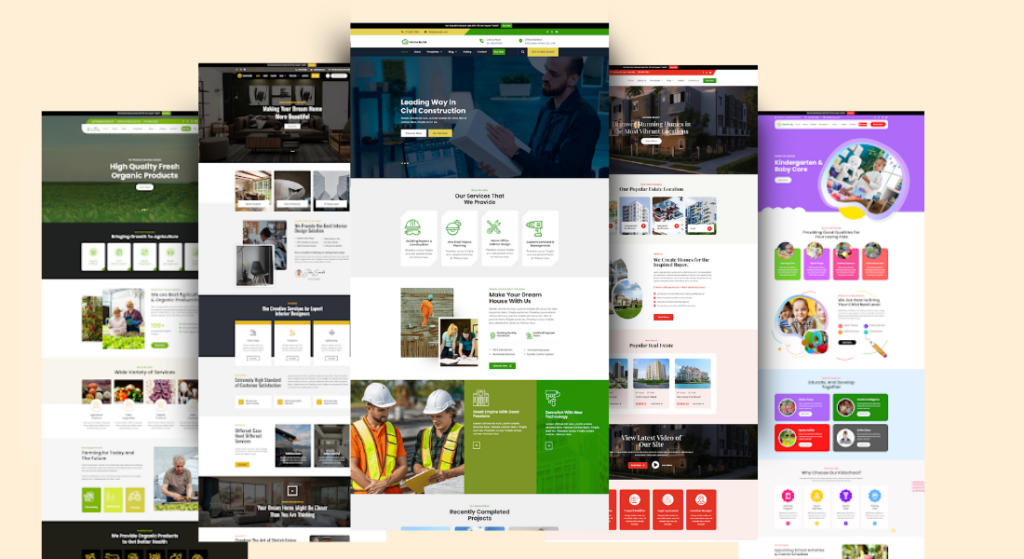
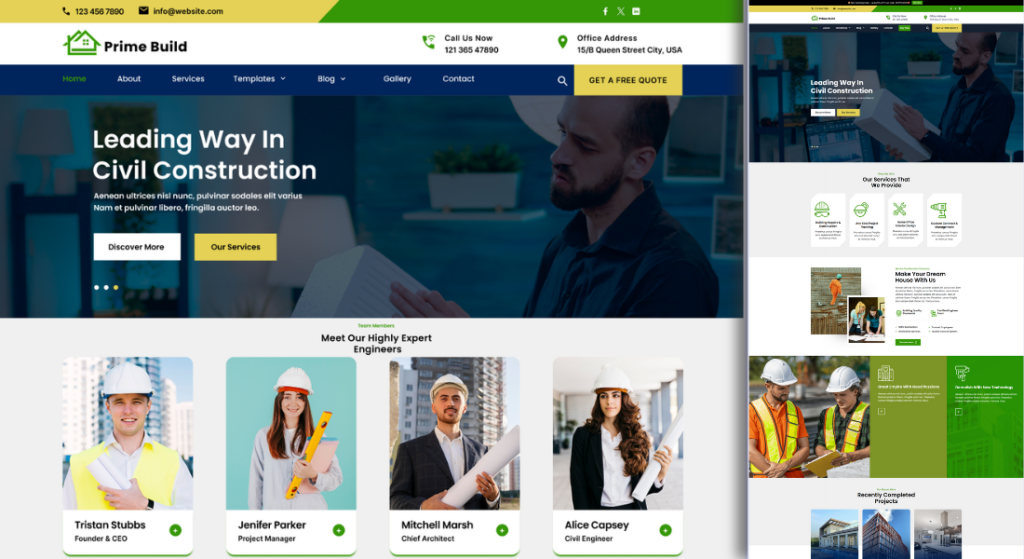
Construction WordPress themes are created specifically for builders, contractors, architecture firms, real estate developers, and renovation services. These niche themes usually include features such as service listing sections, portfolio galleries, project showcase pages, cost estimation forms, team member profiles, and appointment booking options. Their designs highlight trust, professionalism, and reliability with bold layouts and strong typography. They often integrate Google Maps, contact forms, testimonial sliders, and CTA buttons to improve lead generation. Optimized for speed and SEO, construction site themes help businesses display projects attractively, attract clients, and present services clearly without needing custom coding or expensive design work.
Ecommerce Gift Shop WordPress Themes
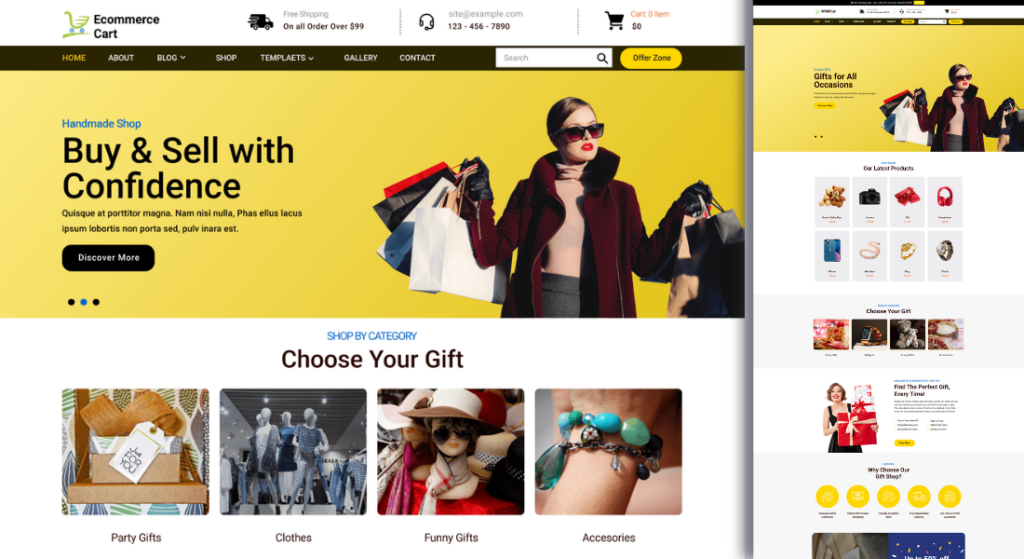
Ecommerce gift shop WordPress themes are tailored for stores selling gifts, accessories, holiday items, personalized products, and handmade crafts. These themes focus on visual presentation and smooth shopping experiences, offering features such as product grids, wishlist support, quick view, cart integration, and secure checkout systems. They come with elegant layouts, festive color options, and attractive banner sections that highlight deals and seasonal sales. Many include WooCommerce support, responsive design, and SEO optimization, helping store owners increase conversions and reach more customers. With customizable product pages and promotional sections, gift shop themes make it easy to build engaging online stores.
Conclusion
Using free Elementor layouts is one of the easiest and fastest ways to build professional-looking WordPress websites without coding. They provide a strong foundation for beginners, small businesses, and bloggers to create visually appealing pages, while also offering customization options to match your brand style. However, choosing the right layouts, optimizing images, maintaining mobile responsiveness, and following SEO best practices are crucial for achieving the best results.
For those who want simplicity and efficiency in building their websites, exploring simple WordPress themes can be a perfect complement to free layouts. These themes are lightweight, responsive, and fully compatible with Elementor, making it easier to launch stunning websites quickly. You can check out these Content on Simple WordPress Themes. By combining free layouts with high-quality themes, you can create a website that is fast, attractive, and fully optimized for performance and SEO.
FAQ
How do I use free Elementor layouts?
To use a free Elementor layout, install the Elementor plugin on your WordPress website, open a page in Elementor, and import the layout either from the template library or a downloaded file. After importing, you can edit all content to match your brand.
Can I customize Elementor layouts?
Absolutely! Elementor layouts are fully customizable. You can change text, images, colors, fonts, spacing, and even add advanced widgets or animations to match your website’s branding.
Are free Elementor layouts SEO-friendly?
Most free Elementor layouts are optimized for SEO, but it’s important to edit headings, alt text, and meta descriptions. Proper SEO practices combined with responsive design ensure better ranking and user experience.
Do Elementor layouts work with all WordPress themes?
Elementor layouts work with most modern WordPress themes. However, some themes built specifically for Elementor provide better integration, faster performance, and easier customization.