Building a successful website is not just about design or content. It is also about security, trust, and how search engines see your site. One small but very important detail many site owners ignore is their WordPress username. A weak or default username can make your website an easy target for hackers and can also affect branding and SEO in subtle ways.
If you want to follow the best way to create a website, you must think beyond themes and plugins. You must also focus on backend best practices. Updating your WordPress username is one of those simple but powerful steps.
In this complete guide, we will explain why change user name in WordPress matters, how it improves security and SEO, and the safe, step-by-step methods to do it correctly without breaking your site.
Why WordPress Username Matters More Than You Think?
WordPress usernames matter more than most people realize because they directly affect website security, SEO, and brand trust. Hackers often target sites with common or predictable usernames, making it easier to break in through brute-force attacks. From an SEO point of view, usernames appear in author URLs, which search engines and users can see. A clean, professional username builds credibility and supports Google’s E-E-A-T guidelines. Poor or default usernames can make a website look unprofessional and less trustworthy. Choosing a strong, unique WordPress username is a small step that makes a big difference in long-term website safety and growth.
Method 1: Create a New Admin User
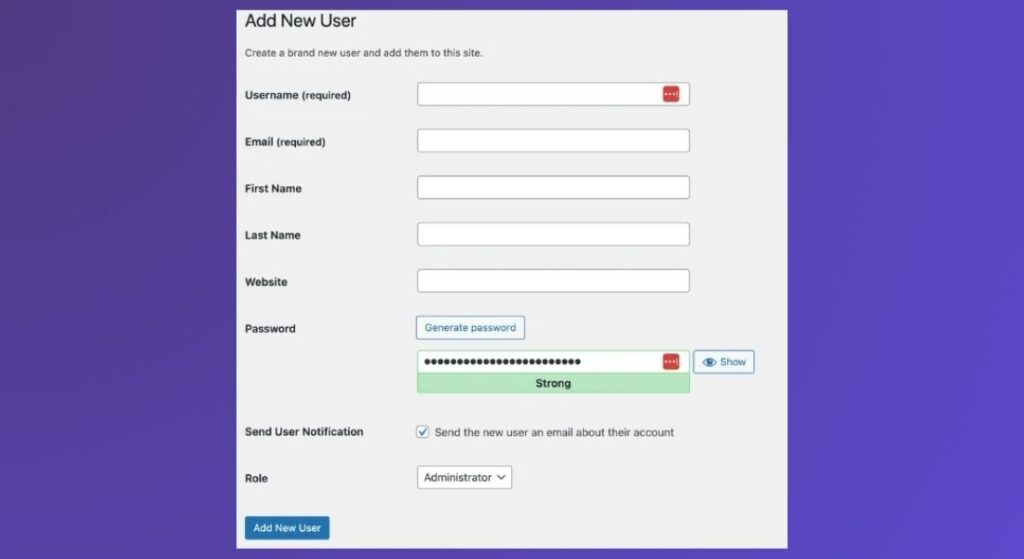
Creating a new administrator user is the safest and most WordPress-approved way to update your username. WordPress does not allow direct editing of usernames by default, so this method works around that limitation without risking your website’s data or security. In this process, you create a brand-new admin account with a secure and unique username, log in with it, and then remove the old user account. While deleting the old account, WordPress allows you to reassign all posts, pages, and media to the new user, ensuring that no content is lost. This method is ideal for beginners, bloggers, business owners, and anyone who wants a clean and risk-free solution.
Why this method is recommended:
- No plugins required
- Fully supported by WordPress
- No database editing involved
- Zero risk of breaking your website
- Works on all hosting providers
Method 2: Change Username Using a WordPress Plugin
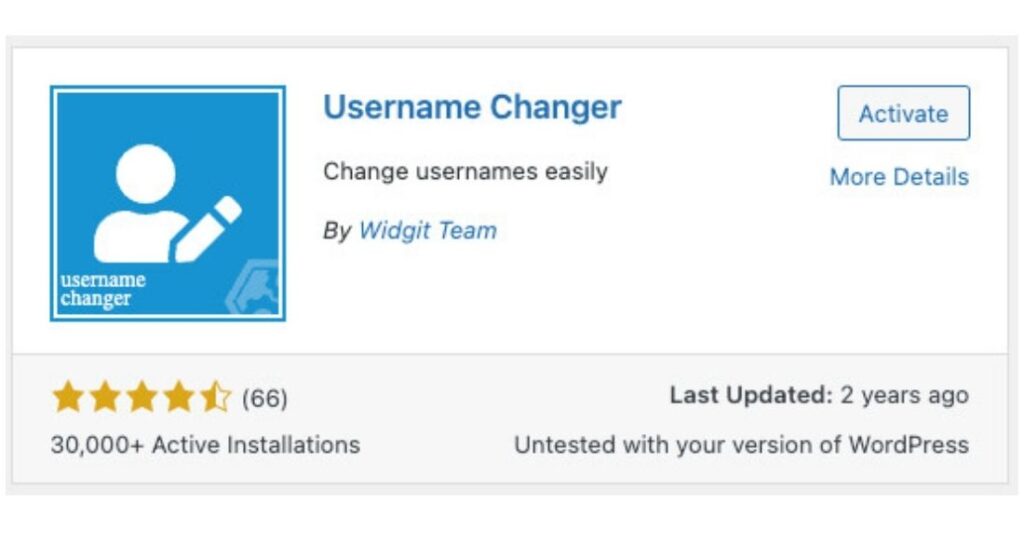
Using a plugin is a convenient option for users who prefer not to create new accounts or manage content reassignment. Username-changer plugins allow you to edit the existing username directly from the WordPress dashboard.
After installing and activating the plugin, you can simply go to the Users section, choose the user you want to update, and change the username with a few clicks. This method saves time and is easy to follow, especially for non-technical users. However, it is important to use only trusted and well-maintained plugins, as poorly coded plugins can create security vulnerabilities.
Advantages of using a plugin:
- Fast and simple process
- No need to create a new user
- No database access required
- Beginner-friendly interface
Things to keep in mind:
- Avoid outdated or poorly rated plugins
- Remove the plugin after use
- Always test login after changing the username
Method 3: Change Username via phpMyAdmin
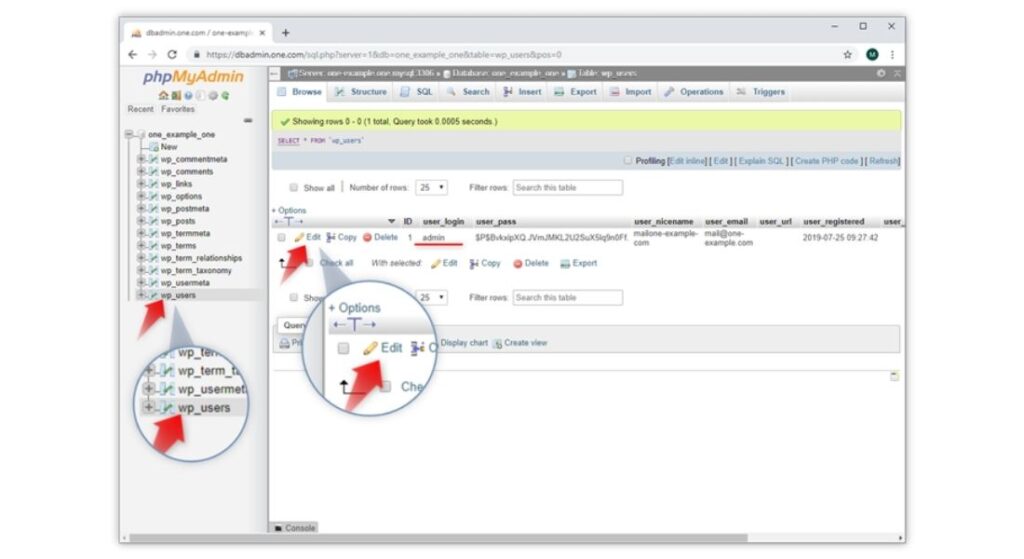
Editing the username through phpMyAdmin is a technical method that directly modifies the WordPress database. In this approach, you access your hosting control panel, open phpMyAdmin, and locate the wp_users table inside your WordPress database. From there, you manually edit the user_login field to set a new username. While this method is effective and immediate, it carries higher risk because a single mistake can result in login issues or database errors. This is why it is strongly recommended only for developers or experienced WordPress users who understand database structures.
Important precautions before using this method:
- Take a full website backup
- Double-check database table prefixes
- Do not change other database fields
- Log out of all active sessions
Which Method Should You Choose?
If security and stability are your top priorities, creating a new admin user is the best option. Plugin-based methods work well for quick changes but should be handled carefully. Database editing should only be used when no other option is available, and you are confident in your technical skills.
How Themes Impact Security & SEO Together
Your WordPress theme is more than just design; it directly affects your website’s security, loading speed, SEO rankings, and user trust. A poorly coded theme can expose security vulnerabilities, slow down your site, and hurt search engine visibility. On the other hand, a well-optimized theme follows clean coding standards, loads faster, supports SEO best practices, and works smoothly with security plugins. To dive deeper into performance improvements, this blog on how to increase page speed in WordPress explains practical steps to boost usability and rankings. When you focus on backend improvements like learning how to change your WordPress username, pairing that effort with a high-quality theme creates a strong foundation for a secure and search-friendly website.
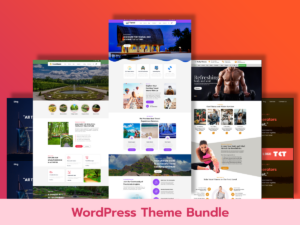
WordPress Theme Bundle (Best Value for Agencies & Bloggers)
The WordPress Theme Bundle is a smart choice for agencies, bloggers, and developers managing multiple websites. Instead of relying on random themes with unknown security standards, this bundle offers multiple professionally built themes optimized for speed and SEO. Using trusted themes reduces the risk of security flaws and ensures consistent performance across sites. When you apply best practices like changing your WordPress username for better security along with these optimized themes, you significantly improve both site protection and long-term SEO growth.
Why this bundle works well:
- Multiple SEO-optimized themes
- Consistent security standards
- Cost-effective for multiple projects
- Ideal for content-heavy websites
Free WooCommerce Themes (Great for Beginners)
If you’re just starting your online store, exploring free WordPress WooCommerce themes is a great first step. These themes are designed to support essential eCommerce features while maintaining solid performance and usability. Although free options may offer limited customization, choosing a reliable source ensures better security and smooth compatibility with WooCommerce updates. Pairing a secure theme with smart admin practices like changing your WordPress username helps beginners avoid common security risks while building a strong SEO foundation.
Best suited for:
- New WooCommerce stores
- Budget-friendly projects
- Beginners learning WordPress
- Simple product-based websites
Premium WordPress Themes (For Speed, SEO & Security)
Premium WordPress themes are built with advanced optimization, stronger security practices, and long-term updates in mind. These themes often include clean schema markup, mobile responsiveness, faster load times, and better compatibility with SEO and security plugins. Choosing reliable premium WordPress themes ensures better performance and regular updates. When you combine a premium theme with proper admin management, such as learning how to change your WordPress username, you create a highly secure, fast, and SEO-friendly website that both Google and users trust.
Key benefits of premium themes:
- Regular updates and security patches
- Advanced SEO-ready structure
- Faster performance and better UX
- Professional design and support
Why High-Quality Themes Matter Long-Term
Using a high-quality WordPress theme is not just about looks it’s about performance, security, and credibility. A fast, secure, and SEO-optimized theme improves rankings, reduces bounce rates, and builds trust with visitors. When combined with essential backend steps like changing user name in WordPress, strong passwords, and regular updates, the right theme plays a critical role in long-term website success.
Conclusion
Keeping your WordPress website secure and SEO-friendly does not require complex steps. Small actions, like managing user accounts properly, can make a big difference. Learning how to change user name in WordPress helps protect your site from common security threats and improves trust with both users and search engines. When this step is combined with strong passwords, regular updates, fast hosting, and the best WordPress themes, your website becomes safer and performs better in search results.
Choosing SEO-optimized themes, using clean templates for WordPress, and following the best way to create a website ensures faster loading, better rankings, and higher user engagement. Whether you are using WordPress templates free or premium designs, focusing on security and SEO together builds a strong foundation for long-term growth. A secure, well-optimized WordPress site not only ranks higher on Google but also earns user confidence and drives consistent traffic over time.
FAQ
Can I change my WordPress username directly?
No, WordPress does not allow you to edit a username directly by default. This is done for security reasons. To update it, you must either create a new admin user, use a trusted plugin, or edit the database carefully.
Is changing a WordPress username safe?
Yes, it is safe if done using the correct method. Creating a new admin user is the safest option. Always back up your website before making changes to user accounts.
Will my posts be deleted if I change my username?
No. When you delete the old user, WordPress gives you an option to assign all posts and pages to the new user. This keeps your content safe and unchanged.
Does changing the username help with security?
Yes. Default or common usernames are easy targets for hackers. Updating your username reduces the risk of brute-force login attacks and improves overall site security.
Does changing the username affect SEO?
It can improve SEO indirectly. A clean and professional author name builds trust, improves credibility, and supports Google’s E-E-A-T guidelines, especially for blogs and content websites.
Can beginners change the WordPress username?
Yes. Beginners can safely do this by creating a new admin user. This method does not require coding, plugins, or technical knowledge.
Should I use a plugin to update my username?
You can, but only use a trusted and updated plugin. After changing the username, it’s best to delete the plugin to avoid unnecessary security risks.
Do I need to back up my site before making changes?
Yes. A backup is always recommended before changing user roles, usernames, or accessing the database. It helps you recover your site if anything goes wrong.
What is the safest way to change user name in WordPress?
The safest way is to create a new administrator account with a strong username and then delete the old one while reassigning all content.